Medical photography: compare images captured under consistent conditions
Medical photography documents a clinical presentation and how it changes over time. To interpret before-and-after photos, practitioners need to distinguish a change in the patient from a difference in how the images were taken. A protocol aims to make images comparable, with identifiable limitations, so they can support the consultation and patient record.
A March 2026 report from France's National Academy of Medicine emphasises technical quality, organisation and training in medical photography. Its recommendations do not create an obligation to photograph every patient at every visit. The need depends on the clinical situation.
This guide offers a practical workflow to adapt with the responsible clinician and, where needed, a medical photographer. It covers capture and follow-up within the clinic. A pair of photographs alone cannot establish treatment effectiveness or guarantee legal protection.
Define the required views and prepare the photo station
Record what should stay consistent
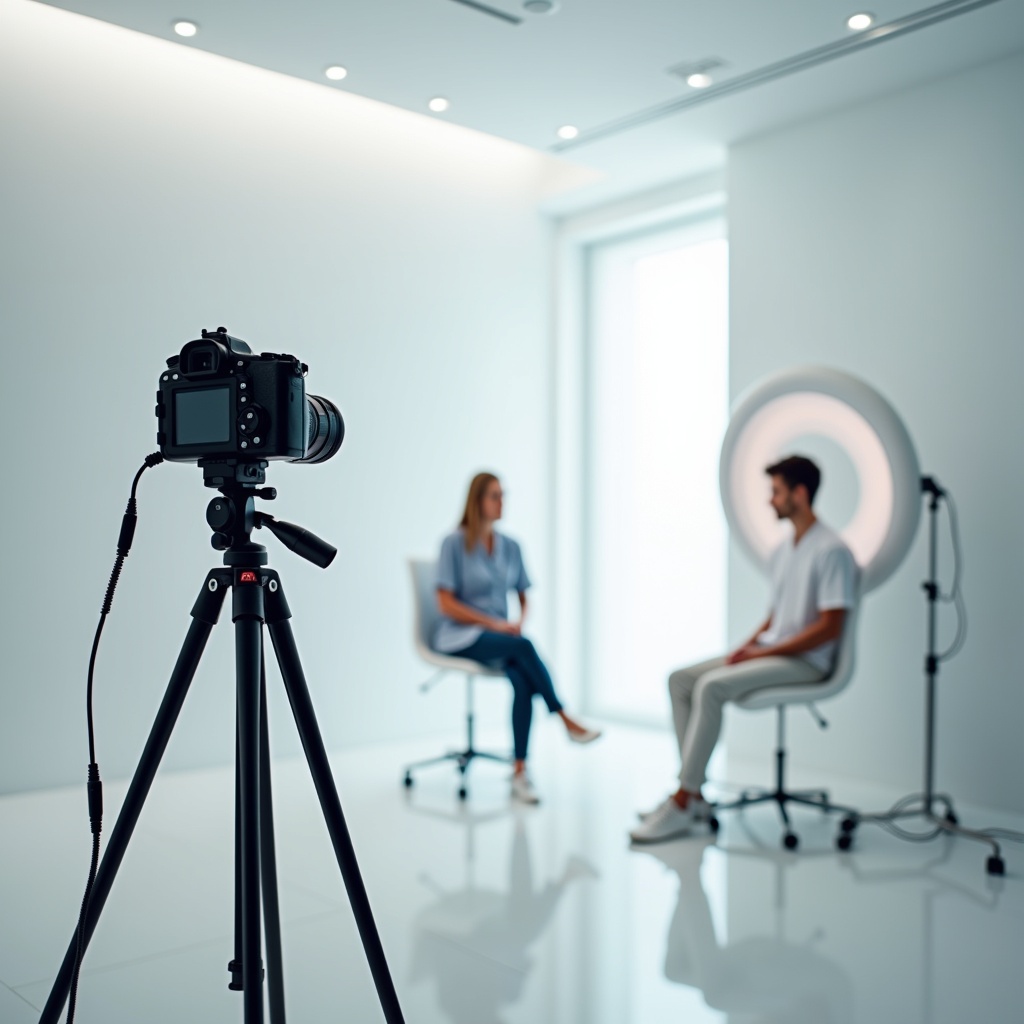
A Proposal for Updated Standards of Photographic Documentation in Aesthetic Medicine identifies factors including the camera, distance, angle, background and lighting. The practical aim is to reproduce a setup, rather than apply a focal length or colour temperature presented as universally suitable.
Create a station reference sheet listing equipment, camera position, patient position, light sources and backdrop. Add a diagram without patient information. If the equipment is portable, record how to assemble the setup again. Review the camera's automatic corrections and document the settings selected for your protocol.
Choose views for the clinical question
The review Clinical Photography for Periorbital and Facial Aesthetic Practice discusses frontal, oblique and lateral views. It also explains that changes in positioning can affect photographic appearance. The required series should reflect the area and purpose of follow-up, rather than being copied across every procedure.
List the order of views, framing references and expression instructions on the sheet. If a particular expression is needed, label it clearly. Explain any preparation needed to expose the area being photographed, while respecting the patient's privacy and ability to adopt the requested position.
Build a session that the whole team can follow
A useful protocol must work during a busy clinic session. The sequence below is a suggested starting point to adapt to your team's responsibilities. It does not replace procedure-specific or device-specific instructions.
- Open the correct record. Check identity before taking the photograph. Do not rely solely on a resemblance to an image already displayed.
- Explain the session. Describe the area, required views and intended use. Take account of discomfort, refusal or difficulty maintaining a position.
- Review the previous series. Find the setup and views to reproduce. Flag changes in equipment or circumstances.
- Capture in the agreed order. Follow the reference sheet and immediately check focus, framing and missing views.
- Check that files were saved. Confirm that the images are present in the correct patient record and linked to the intended visit.
- Record deviations. Note conditions that could not be reproduced and who should be contacted if another capture is needed.
Try the sequence with a fictional record before introducing it into daily work. Ask two colleagues to follow it separately and observe where they hesitate: an unclear view name, an ambiguous instruction or a forgotten filing step. Update the reference sheet before rolling it out to everyone.
Plan for exceptions too: an interrupted session, images saved to the wrong record, unavailable equipment or an absent supervisor. A short instruction explaining who to contact is more useful than a promise that software will prevent every error.
When a new colleague joins or the equipment changes, repeat the practice run. Keep one current version of the instructions in the place staff actually use, and identify the person responsible for updating it. This makes it easier to resolve conflicting advice from different team members.
Check comparability before interpreting a change
At follow-up, assess whether the views can reasonably be compared before reviewing the clinical change. For example, if the patient's chin is raised in one image and lowered in the other, flag that difference in posture. Do not present the pair as evidence independent of its capture conditions.
- Identity and timeline: the correct patient and area, accurate dates and an understandable visit context.
- Conditions: sufficiently similar view, expression, framing and lighting for the intended comparison.
- Integrity: retrievable originals, identifiable annotations and no concealed alteration of the area being evaluated.
- Limitations: documented differences so that the reader understands what the images can meaningfully compare.
Retain originals according to your record policy. If you prepare a comparison panel or add an annotation, work on a labelled copy. A consistent presentation should not obscure differences in the original capture. Where there is uncertainty, the clinician decides how useful the series is for the clinical question.
Use software to support the protocol
A medical photography application can help guide capture and organise images. Nextmotion Capture offers capture guides and before-and-after comparisons. Test these tools with your clinic's equipment and users; they do not replace identity checks or assessment of the capture conditions.
During a demonstration, retrieve a series, add a view, correct a filing error and export the files. Check which information is recorded automatically and which fields require staff input. Do not assume the software records particular metadata or provides clinical measurements unless those capabilities have been demonstrated.
Our aesthetic clinic software comparison can help you prepare the evaluation. If you already have a system, examine your existing workflow first: a problem may arise from unclear instructions or settings without requiring a complete platform replacement.
Organise and protect images according to their purpose
The French data protection authority, the CNIL, distinguishes patient information from consent to data processing: collecting data needed for care does not automatically rely on GDPR consent. This is not permission to publish images. Clarify clinical and other intended uses before sharing them.
Define access by staff role, the storage location and transfer arrangements. Review the provider's contract and the safeguards applicable to your circumstances. Neither including a patient name in a file nor removing it is enough to establish that an image is properly protected or anonymous. Requirements should be assessed for the jurisdiction in which you practise.
To prepare that discussion, review Nextmotion's data protection information and request the documents for your selected service. Keep the clinical record separate from any proposed publicity use, which needs its own assessment.
Frequently asked questions about medical photography
Which views should before-and-after photos include?
The clinician defines the series according to the area and clinical question. Document the views, their order, framing and expression instructions so they can be reproduced at follow-up.
Should we use the same settings at every session?
Aim to reproduce the setup agreed for the protocol. If equipment, settings or conditions change, record the difference and assess the limitations of the comparison.
Does software guarantee standardised photographs?
No. Capture guides can help, but identity, posture, lighting and filing still need checking. Training and review remain part of the workflow.
How should we handle an incomplete or poorly matched series?
Identify missing views and differences, then ask the clinician whether another capture would be useful. Preserve the session context instead of concealing its limitations.
Test your photo protocol with your team
Prepare a capture reference sheet, a fictional record and your review criteria. Explore Nextmotion's capture workflow, then request a demonstration to assess how the tools fit your organisation and clinical follow-up needs.